Left / right colors
Each speaker drives two of the Arena 7’s four RGB zones — set them together or independently.
macOS 14+ · menu bar · usb hid

SteelSeries Arena 7 RGB control from the macOS menu bar — no SteelSeries GG required.
$ brew install szamski/tap/prismatic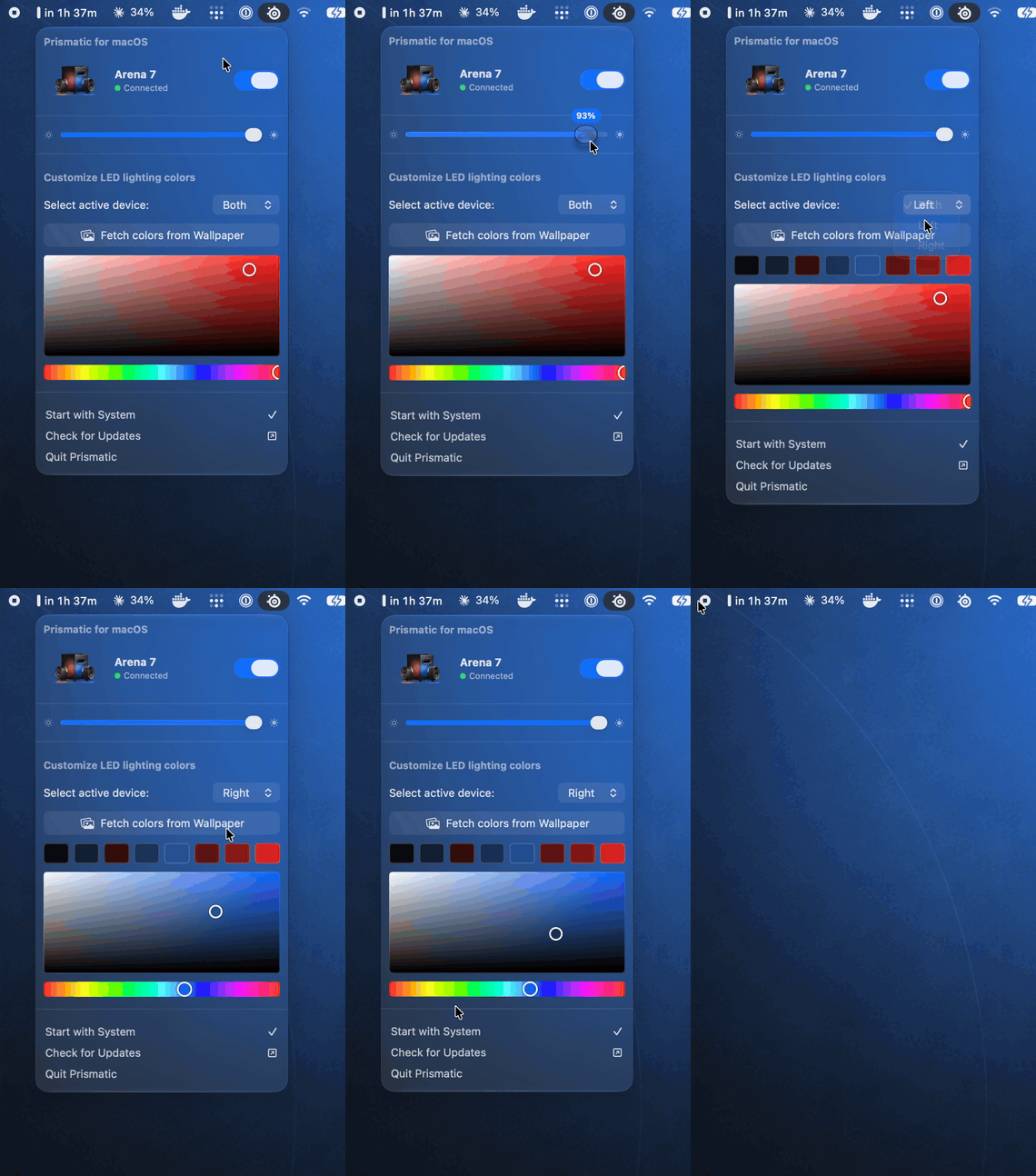
Pick colors, pull a palette from your wallpaper, dim, toggle — done.
SteelSeries GG is a multi-hundred-megabyte Electron + background-service suite — just to change a color. Prismatic does the one thing, lighting, natively, instantly, and out of your way. The USB protocol was reverse-engineered so the app talks to the hardware on its own.
Each speaker drives two of the Arena 7’s four RGB zones — set them together or independently.
One click extracts the dominant colors of your desktop wallpaper and puts them on the speakers.
Talks straight to the hardware over a reverse-engineered USB protocol. No SteelSeries GG, no background services.
A custom picker that lives right inside the menu — no clunky floating system panels.
Hardware brightness control and instant on/off, one click away in the menu bar.
Pure SwiftUI. Launch at login, built-in update check, signed & notarized. That’s the whole app.
The Arena 7 exposes a vendor HID interface (VID:PID 0x1038:0x1A00). Lighting is one Output report, recovered from a USBPcap capture of SteelSeries GG:
Got another SteelSeries device GG can light up? It can probably be supported too — open a device request.